
Fund Accounting
Complete fund accounting software built for nonprofit and faith-based organizations

“CDM+ is designed to be user friendly while giving an accountant or bookkeeper all the necessary tools to do an accurate job of each: payroll processing, fund allocation, governmental tax forms at all levels, financial reporting and analysis. This is one of my favorite programs.”
Gabrielle Olson
Church Accountant and Tax Preparer


Streamline finances with true fund accounting
Complete bookkeeping
Optimize your financial operations with a complete integrated reporting and tracking software built for nonprofit and faith-based organizations.
CDM+ Fund Accounting helps save you time and achieve greater transparency to demonstrate good stewardship.

Track and Manage Funds
Separate income into designated funds to respect giver’s intentions and track fund balances throughout the year

Personalized Reporting
Craft a chart of accounts and create reports that reflect your organization, not a corporation’s

Features built to serve your mission
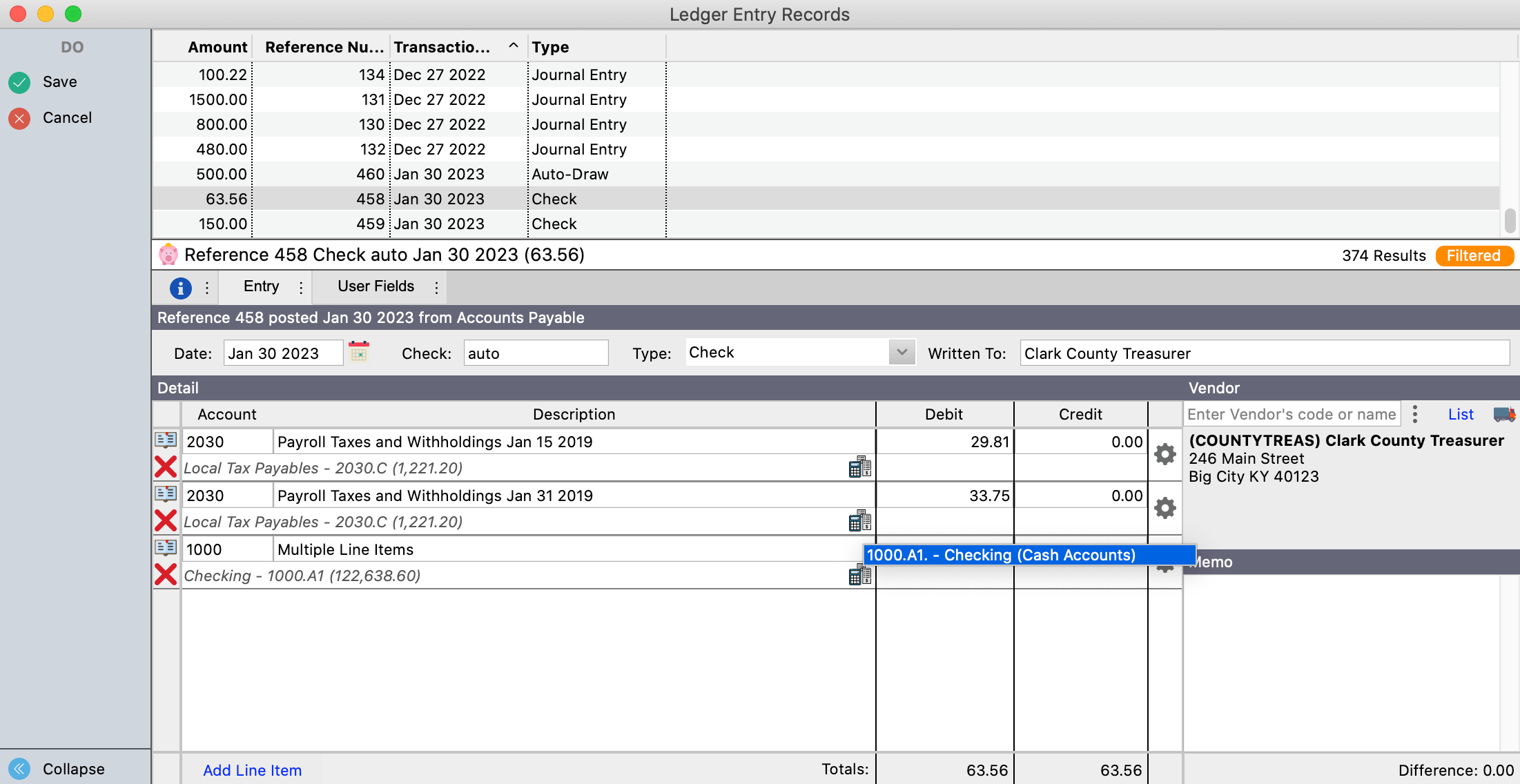
General Ledger
A true fund accounting general ledger that provides a complete view of your finances with flexible and robust reporting.
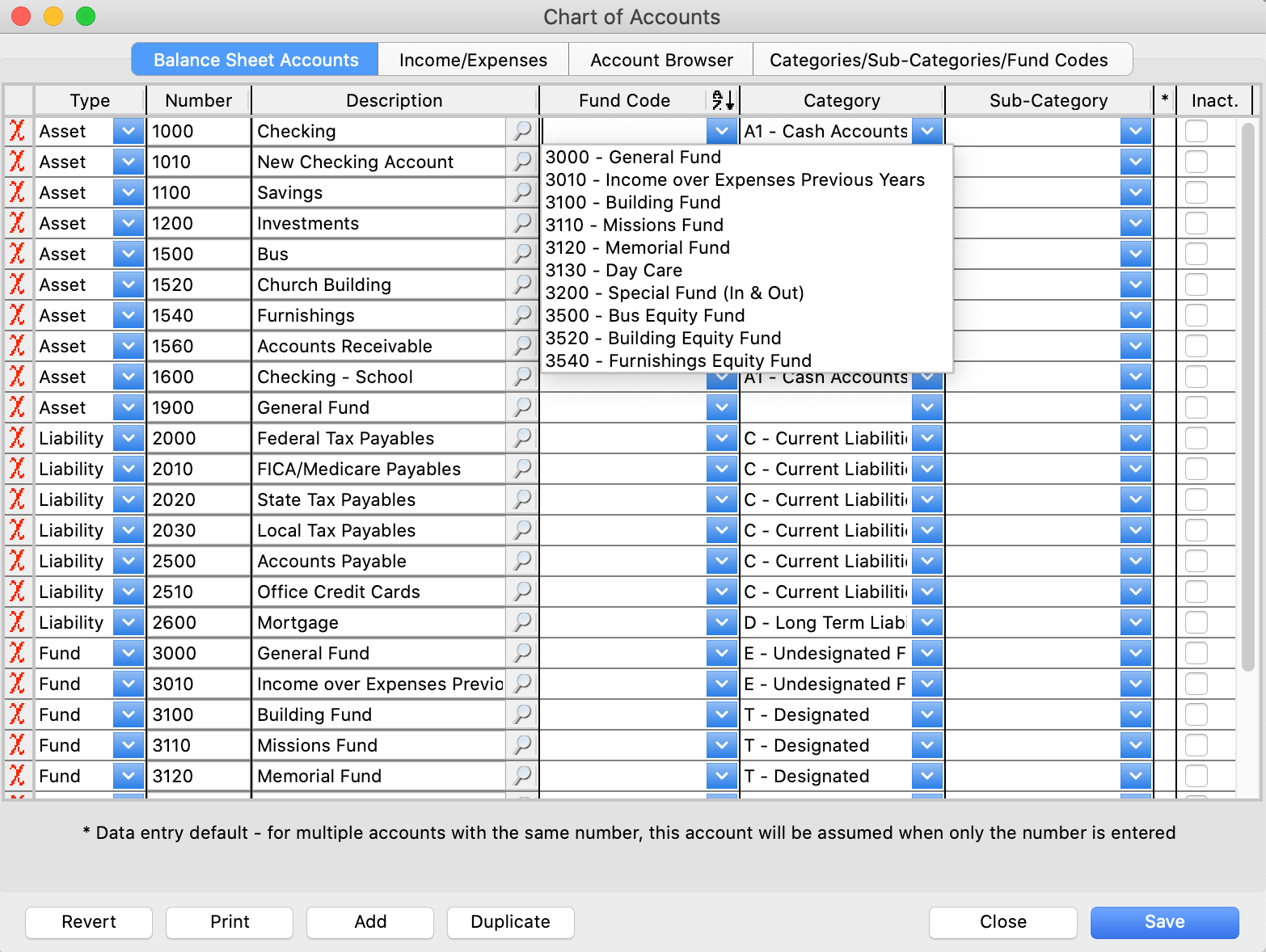
Chart of Accounts
It’s simple to create unlimited accounts with customized user-defined categories and sub-categories.
Budgeting
Choose the income and expense accounts you want to include and easily budget by year or dynamically by month.
Mobile Receipts
Your staff can submit receipts directly to Accounts Payable by downloading the CDM+ Mobile app on their own device.
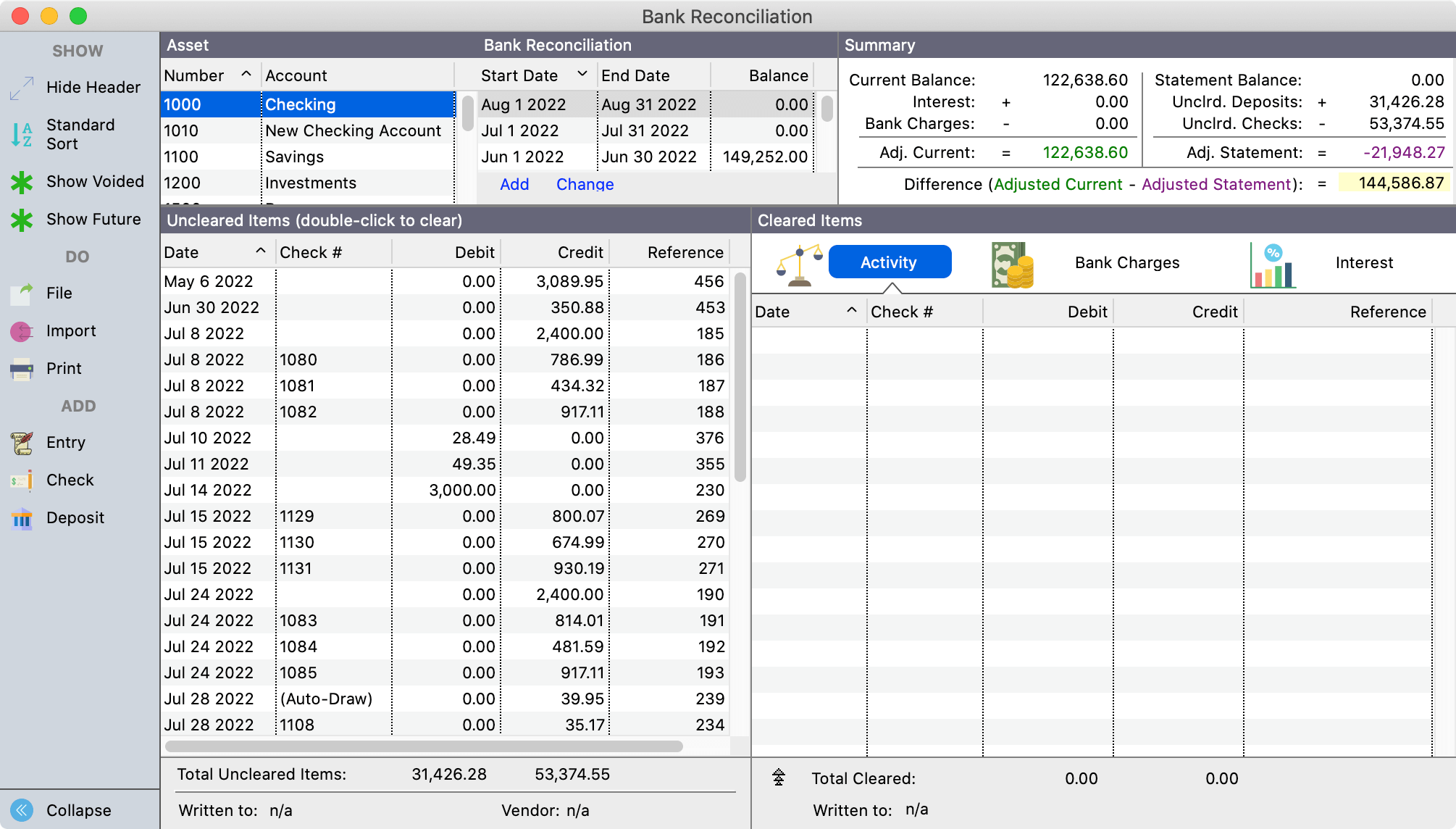
Automated Bank Deposits
CDM+ seamlessly integrates with your bank account for accurate accounting and effortless reconciliation.
Online Billing
Customers can pay invoices by credit/debit card and ACH (eCheck) online that save directly to CDM+ Accounting.
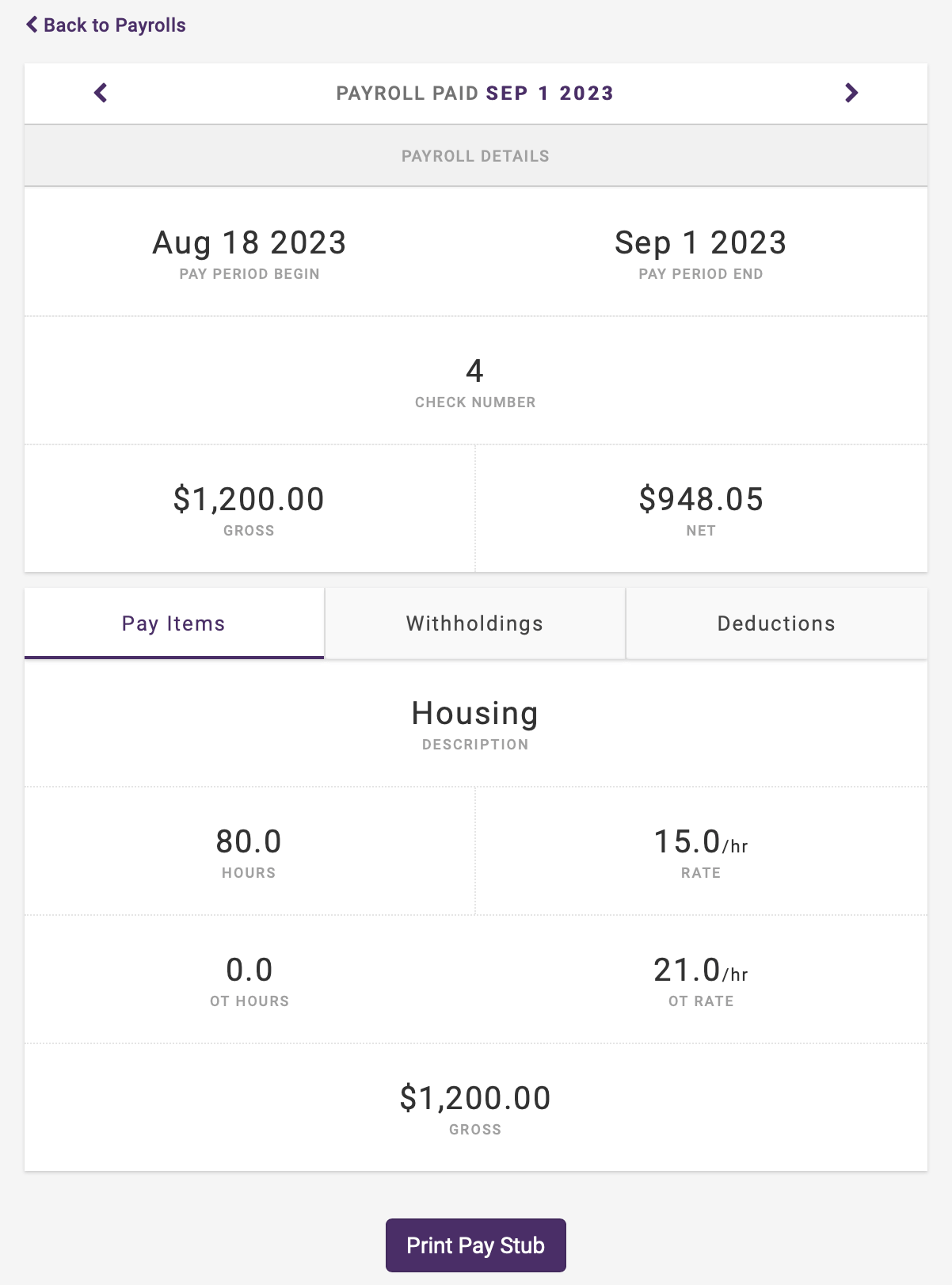
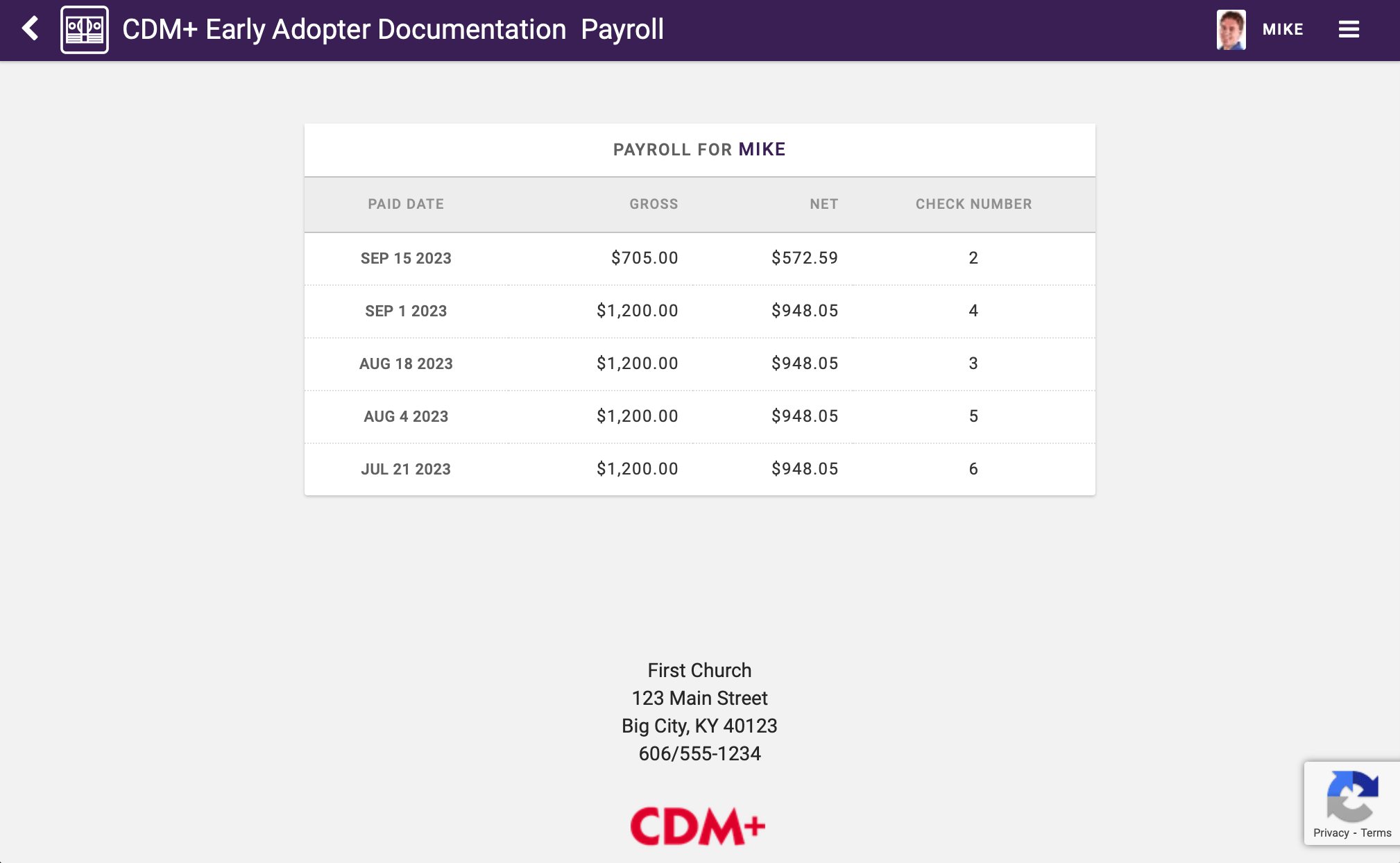
Integrated payroll for clergy and staff
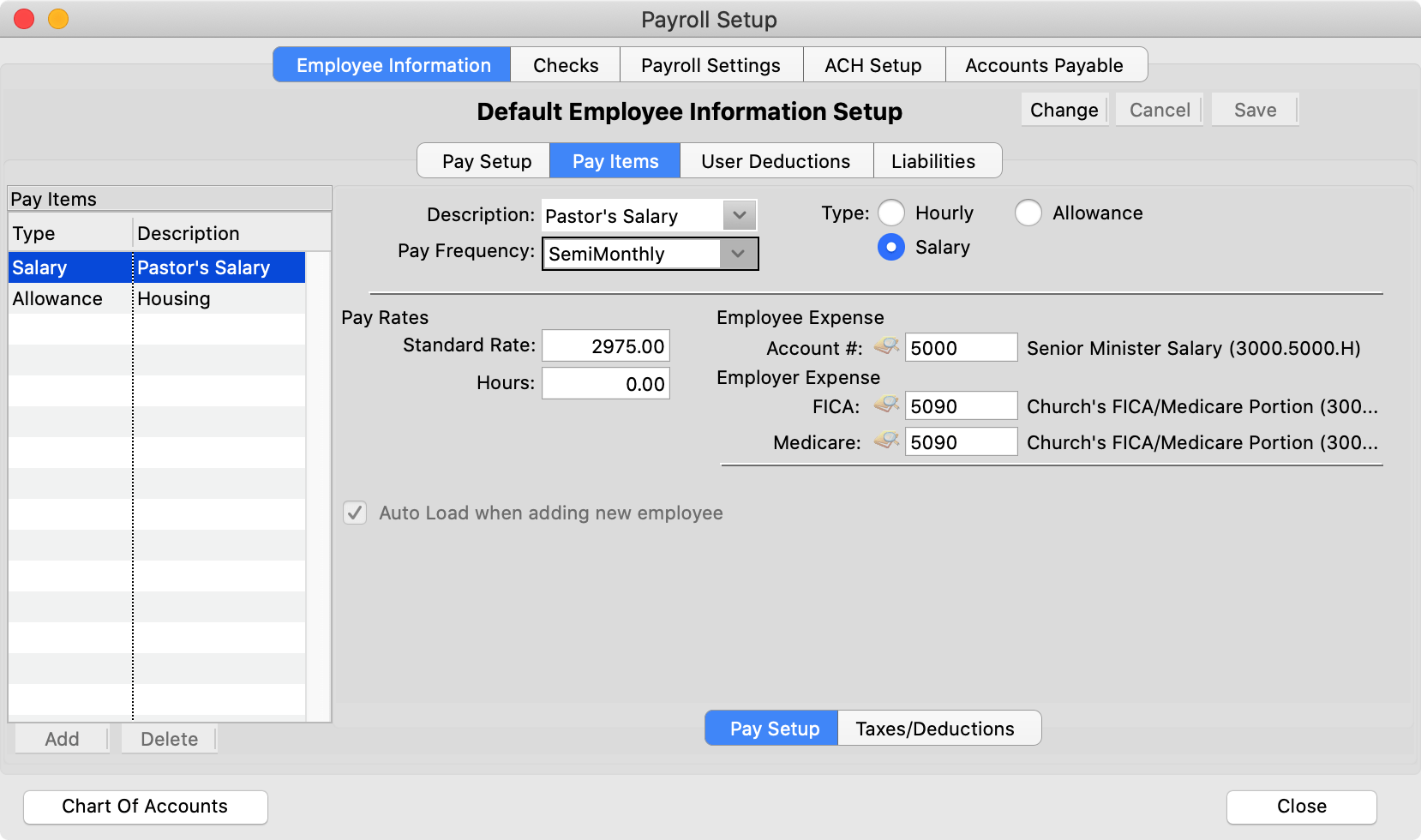
Payroll designed by a pastor
Give your organization full clergy payroll support with separate withholding and reporting exemption settings. You’ll greatly reduce manual effort and enhance accuracy and compliance with CDM+ Accounting.
Have employees working different roles? CDM+ handles any type of employee, all in the same payroll run, even for different payers with unique Federal EIN.

Year End Tasks
Integrated 1099 reporting for year-end including convenient electronic reporting
Efile Taxes
Print or eFile 1099-NEC/MISC/INT and 1096 forms using bundled Aatrix software
Tax Tables
All tax tables are updated automatically for your organization every year
Make more informed financial decisions
Accounting reports
CDM+ allows you to generate a wide range of accounting reports for nonprofit and faith-based organizations. Gain valuable insights into your organization’s financial performance and make more informed decisions.
View sample reports like Fund Activity, Balance Sheet, and Monthly Comparison in the PDF below.


Fund Activity Report
Track and document the inflow and outflow of funds, including fund to fund transfers.

Balance Sheet
Get a clear overview of assets, liabilities, and both designated and undesignated funds.
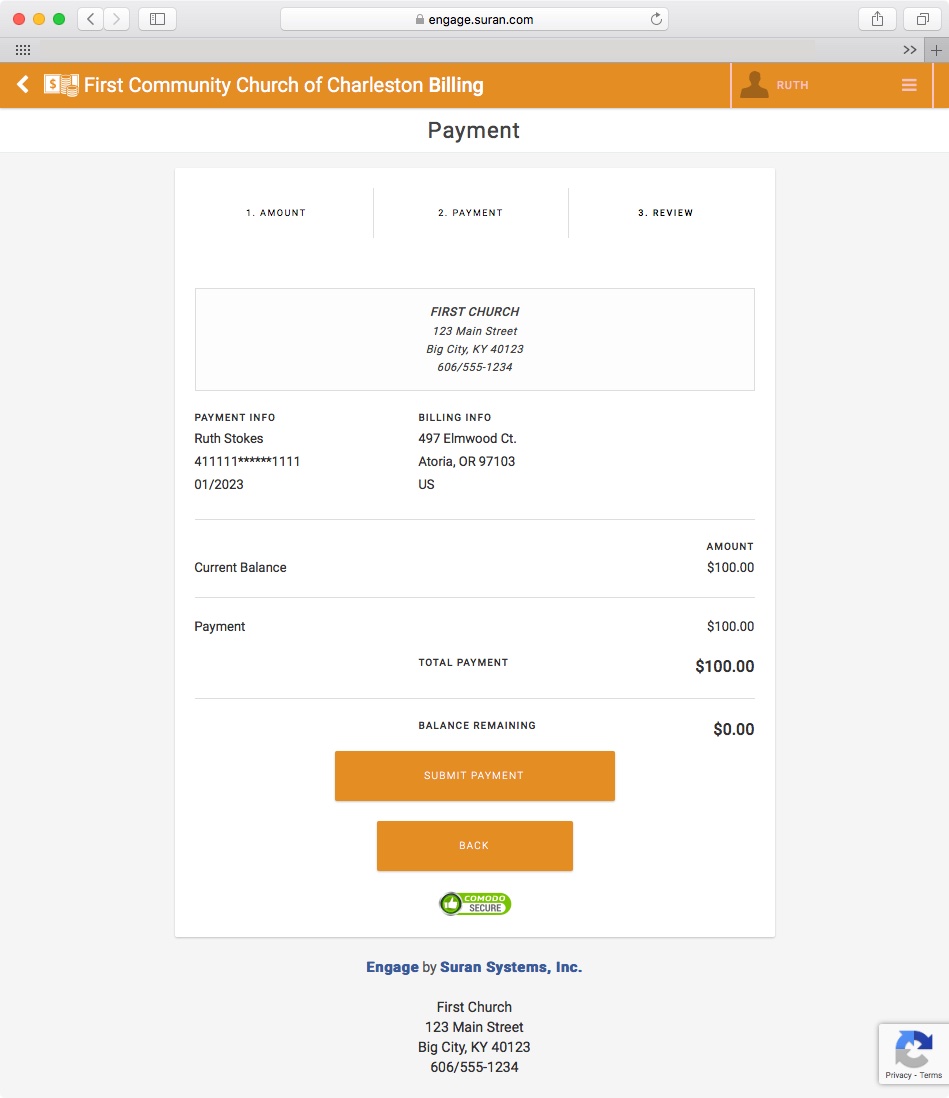
Integrated online billing and payments
Online invoices get paid faster
Save time and effort for your customers with integrated CDM+ Online Billing. Invoices can be viewed and paid online or you can brand and customize invoices for printing.
Track unlimited customer records and link individuals to customers to allow for seamless online bill pay & address updates.

Accounts Receivable
Customers can pay invoices by credit/debit card and ACH (eCheck) online that save directly to CDM+ Accounting

Better than Quickbooks?
W2s and 1099s are a breeze with CDM+ Fund Accounting! In a recent case study, Gabrielle Olson, an Enrolled Agent of the IRS, explains why she recommends CDM+ over Quickbooks for churches and nonprofits.
Download the study at the link below.
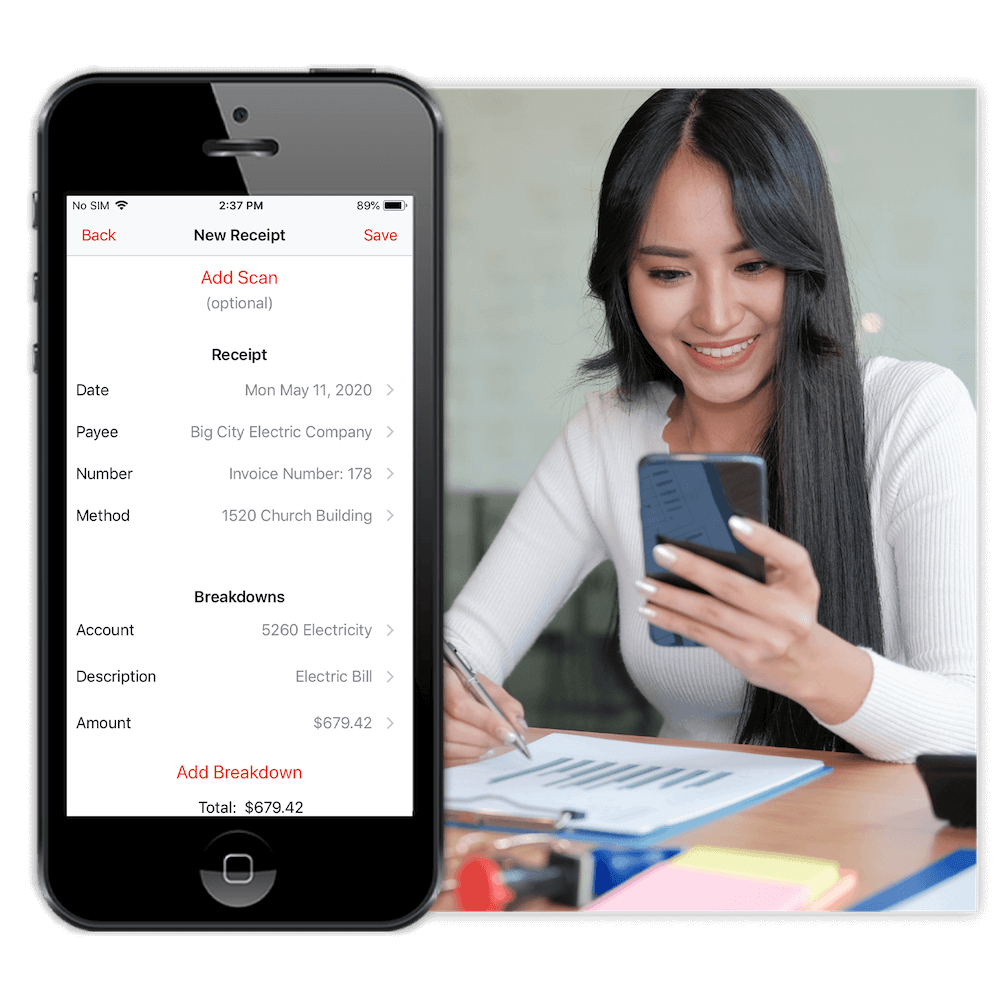
Enter expenses anywhere with Mobile Receipts
Convenient CDM+ Mobile app
Having lunch with a small group or traveling for a conference? Snap a photo of your travel or meal receipts on your mobile device and enter expenses directly to your CDM+ database.
Save scans of each receipt for paperless expense reporting and reimbursement tracking.


Fund Accounting
Fully supports for-profit and government accounting as well.
Double-entry accounting system.
Separate balances sheets by designated funds (i.e. education vs. operating) or run combined.
Avoids business terms (profit and loss) while offering compatible reporting.
Operate on a cash or accrual basis.
Operate on a calendar or fiscal year.

Posting
Avoid manual entry to save time and increase accuracy.
Post directly from Contributions and Payroll.
Post directly from Event Registration.
Post directly from Accounts Payable and Accounts Receivable to Ledger.
Post accruals directly from Payables & Receivables.
Deposit Processing posts online transactions with exact income and expense breakdowns.

Accounts Payable
Link vendor records to address records for seamless address updates.
Handle reimbursable expenses and credit card payments.
Load purchase orders directly into invoices.
Mobile Receipts allow staff to submit receipts directly to Accounts Payable.
Print and eFile 1099-NEC/MISC/INT and 1096 forms using the bundled Aatrix software.

Accounts Receivable
Link individuals to customers for online bill pay & seamless address updates.
Customers can view invoices and make payments by credit/debit card and ACH (eCheck) online.
Online payments save directly to CDM+ Accounting.
Email or print statements and invoices.
Brand statements and invoices with your own logo.

Ledger
Purpose-built entry screens.
Custom journal entry types.
Full and unchangeable audit trail.
Store scanned images of receipts, order confirmations, more.
Bank reconciliation of unlimited accounts with import functionality.
Voids provide you with full audit tracking.
Multi-add for rapid data entry.

Budget
Track annual and monthly budget amounts.
Easily graph fluctuating budgets, i.e. utilities.
Report against projected and actual budgets.
Can budget income as well as expenses.
Budgets equally support calendar and fiscal years.

Automation
Create routine payments such as mortgages and services/utilities.
Adjust recurring entries for variances.
Define recurring items by day of the month.
Set effective/end dates for future/finite payments.
Easily skip any recurring items as needed.

Chart Of Accounts
User-defined categories and sub-categories.
Supports a variety of numbering schemes.
Mark unused accounts inactive.
Group common accounts into sets.
Rapid account selection by fund, category, subcategory, or number range.
Rapid account lookup by number.
Reporting
Comparison to display actual vs. budget, including year-over-year by month and quarter.
Trial balance and audit trail reports.
Export directly to Excel or Numbers for graphing and additional analysis.
Save common report setups to easily reload routine reports.
Listings, labels, and email notices to vendors and customers.
Discover what’s possible with CDM+ Accounting
Have questions about prices, plans, programs, or integration?
Contact us today to learn more or schedule a demo to discover how CDM+ can work for your organization.

